
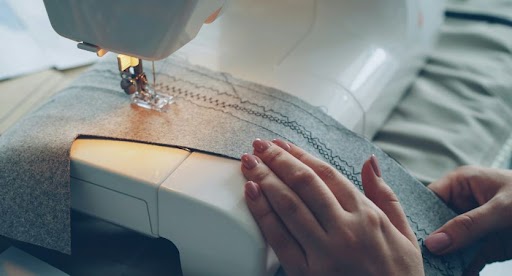
You ordered embroidery for your brand's uniforms. The design looked perfect on screen. But when the finished garments arrived, the logo was puckered, the text was blurry, and the stitching was a mess.
Sound familiar? You're not alone. Most of the time, the issue isn't the machine it's the digitizing.
In this guide, we'll walk you through the top 5 embroidery digitizing mistakes that ruin apparel branding, why they happen, and exactly how to fix them. If you're new to embroidery, it also helps to first read what embroidery digitizing is so you understand the process before diving into these mistakes.
1. Using a Low-Quality or Raster Image for Digitizing
What Goes Wrong
The digitizer receives a blurry JPG or a small PNG file and tries to work with it. The result? Fine details like thin lines, small text, and sharp edges are lost before digitizing even begins. What starts as a blurry image ends as blurry embroidery.
Why This Happens
Most people think any image file will do after all, it looks fine on their phone. But embroidery digitizing requires a clear, high-resolution source file. A 72 DPI social media image gives the digitizer almost no detail to work with, especially for complex logos.
How to Fix It
Always provide the highest resolution version of your artwork. Ideally, a vector file (AI, EPS, SVG, or PDF) is best because it can be scaled to any size without losing quality. If you only have a JPG or PNG, make sure it is at least 300 DPI and no smaller than 1000 pixels wide. A professional digitizing service will tell you immediately if your file is not good enough.
2. Ignoring Stitch Density for the Fabric Type
One of the biggest mistakes is setting the stitch density too high or too low.
The Problem
If it’s too dense, the needle hits the same spot too many times, causing thread breaks and even holes in the fabric. If it’s too thin, the fabric shows through the stitches.
The Solution
A professional digitizer adjusts the density based on the fabric type. A polo shirt needs different density settings than a heavy canvas bag.
Embroidery digitizing is not just clicking a button in a software; it is a digital art form that requires technical expertise. At Inizio Solutions, our experts follow a precise workflow.
3. Ignoring Fabric Type During Digitizing
Different fabrics behave differently under embroidery. Digitizing a design without considering the fabric is a major error.
- Puckering on lightweight fabrics
- Design sinking into thick garments
- Distortion on caps and structured hats
The Solution
A professional digitizer adjusts stitch density, underlay, and pull compensation based on the fabric type.
4. Poor Handling of Small Text and Fine Details
What Goes Wrong
Your logo has a tagline or company name in small text. It looks perfectly readable on screen. But after embroidery, the letters merge together, gaps appear between characters, and the text becomes an unreadable blob of thread.
The Solution
We manually adjust the column widths and spacing of small letters to ensure they remain crisp and readable even at a small scale.
5. Relying on Auto-Digitizing Software for Professional Results
What Goes Wrong
You use an online auto-digitizing tool or free software to convert your logo into a stitch file. The preview looks acceptable. But when the machine runs the file, the stitch paths jump all over the design, thread breaks constantly, and the finished product looks nothing like your original logo.
The Solution
Always choose manual embroidery digitizing, where a skilled digitizer controls stitch direction, density, and underlay.
Conclusion
Every embroidery problem you see on a finished garment - puckered fabric, blurry text, broken threads, distorted logos has one root cause: how the design was digitized. These are not machine problems. They are digitizing problems.
The good news? Every single mistake in this list is 100% preventable.
Getting these five things right is the difference between embroidery that embarrasses your brand and embroidery that elevates it.
At Inizio Solutions, our expert digitizers handle all of this for you so you can focus on your business, not your stitch files. Get your first order FREE and experience professional digitizing with zero risk.